Mobile application · Android & iOS · Product design
A well risk-assessment app for a water-treatment technology maker
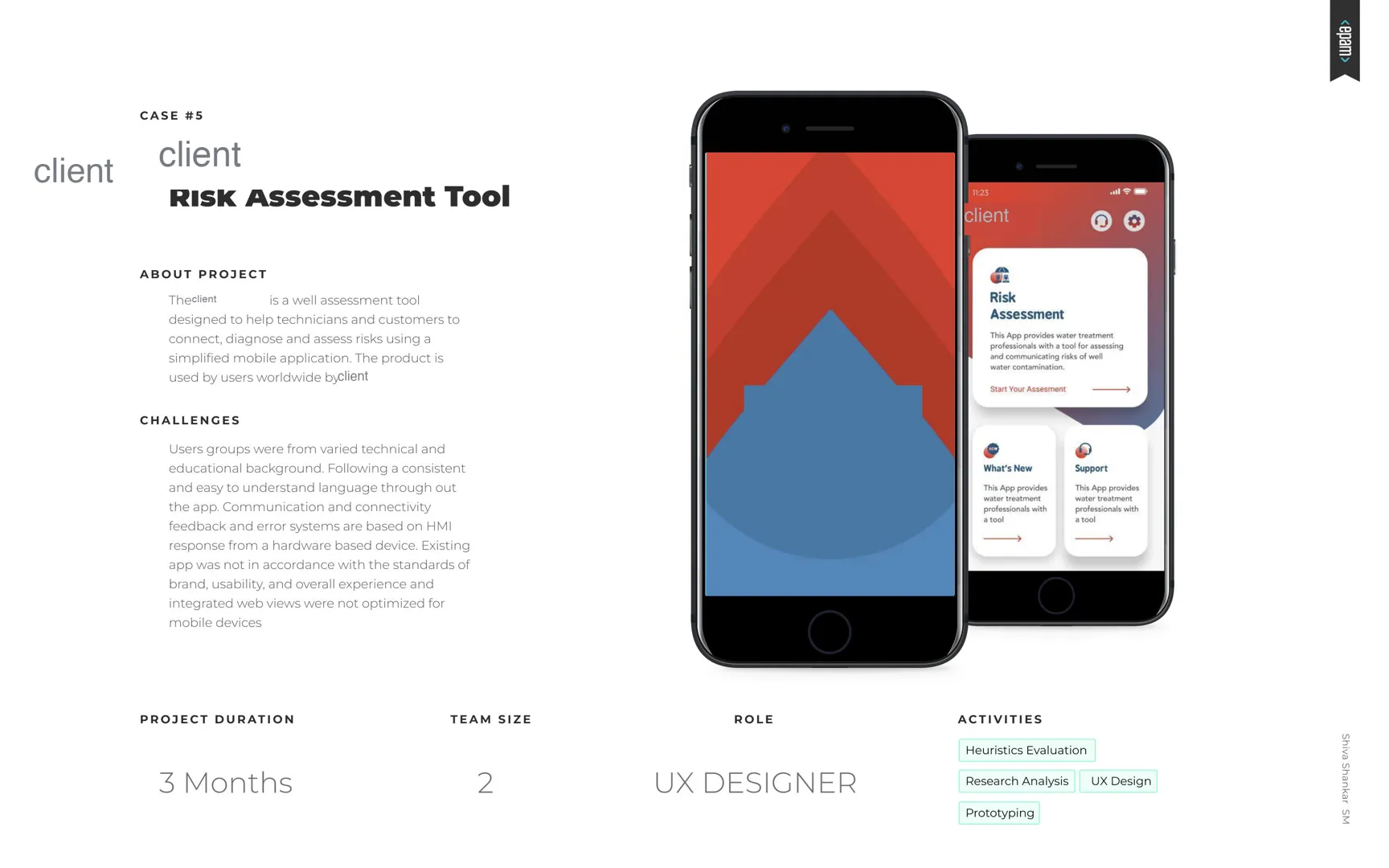
A tool that helps technicians and customers worldwide connect to their UV water-treatment systems, diagnose problems and assess the risk to their well — through one simplified mobile app.
- Role
- UX designer
- Duration
- 3 months
- Platforms
- Android · iOS
- Activities
- Heuristics · research · UX design · prototyping
Challenge
One language for very different people.
Users came from varied technical and educational backgrounds, so the app needed consistent, easy-to-understand language throughout. Connectivity, feedback and error messages depend on responses from a hardware device. The existing app didn't meet brand, usability or experience standards, and its embedded web views weren't optimised.
Requirement analysis
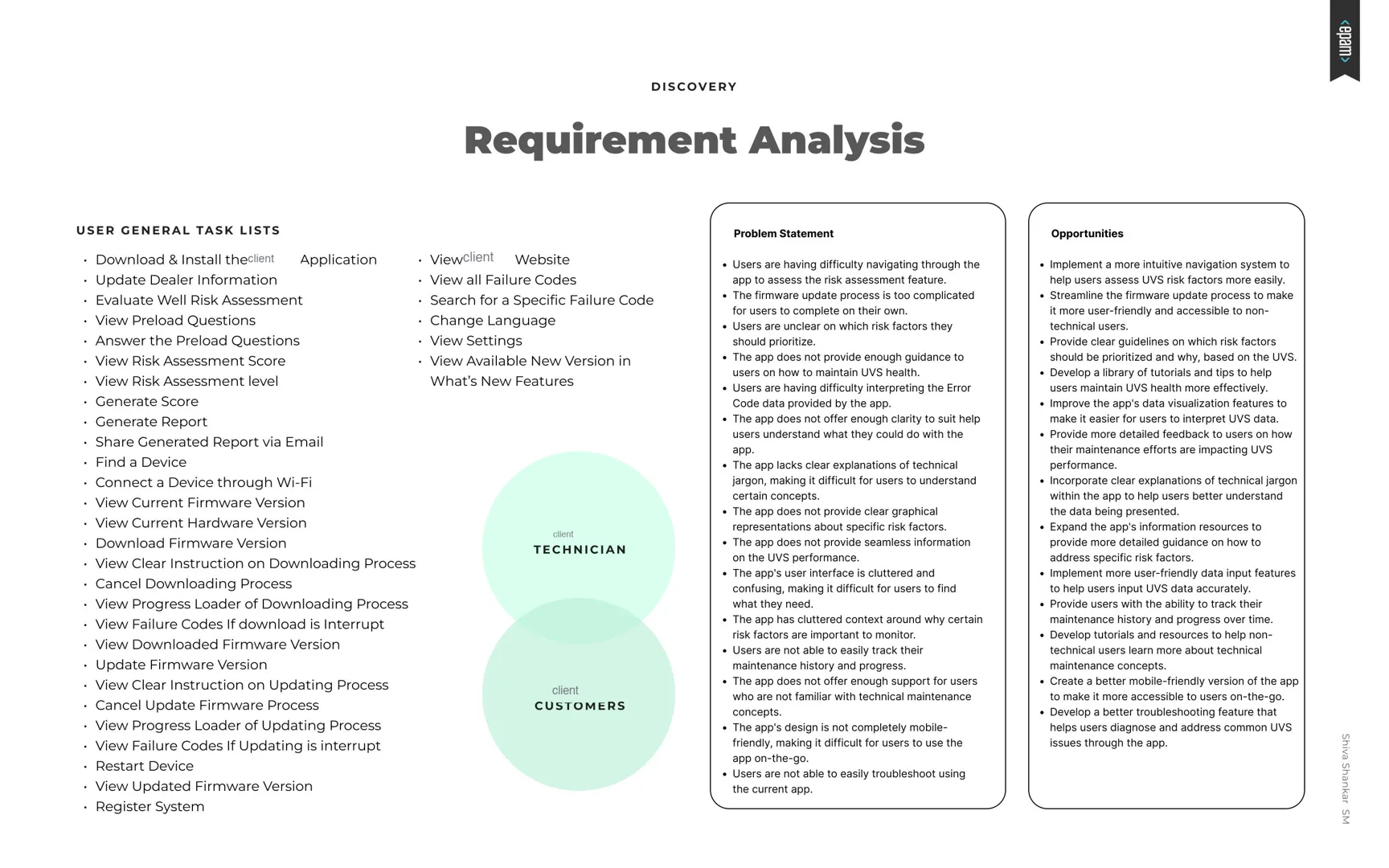
Five problems, four opportunities.
- Hard to navigate to the risk-assessment feature.
- Firmware updates too complicated to complete alone.
- Unclear which risk factors to prioritise.
- Not enough guidance on maintaining system health.
- Error-code data hard to interpret.
- A more intuitive navigation for assessing risk factors.
- A firmware update flow non-technical users can finish.
- Clear guidance on which risk factors matter most, and why.
- A library of tutorials and tips for system health.
The general task list covered installing and updating the app, dealer information, the well risk assessment (preload questions, score, level, report and email sharing), finding and connecting a device over Wi-Fi, firmware and hardware versions, failure codes, language and settings.
Personas
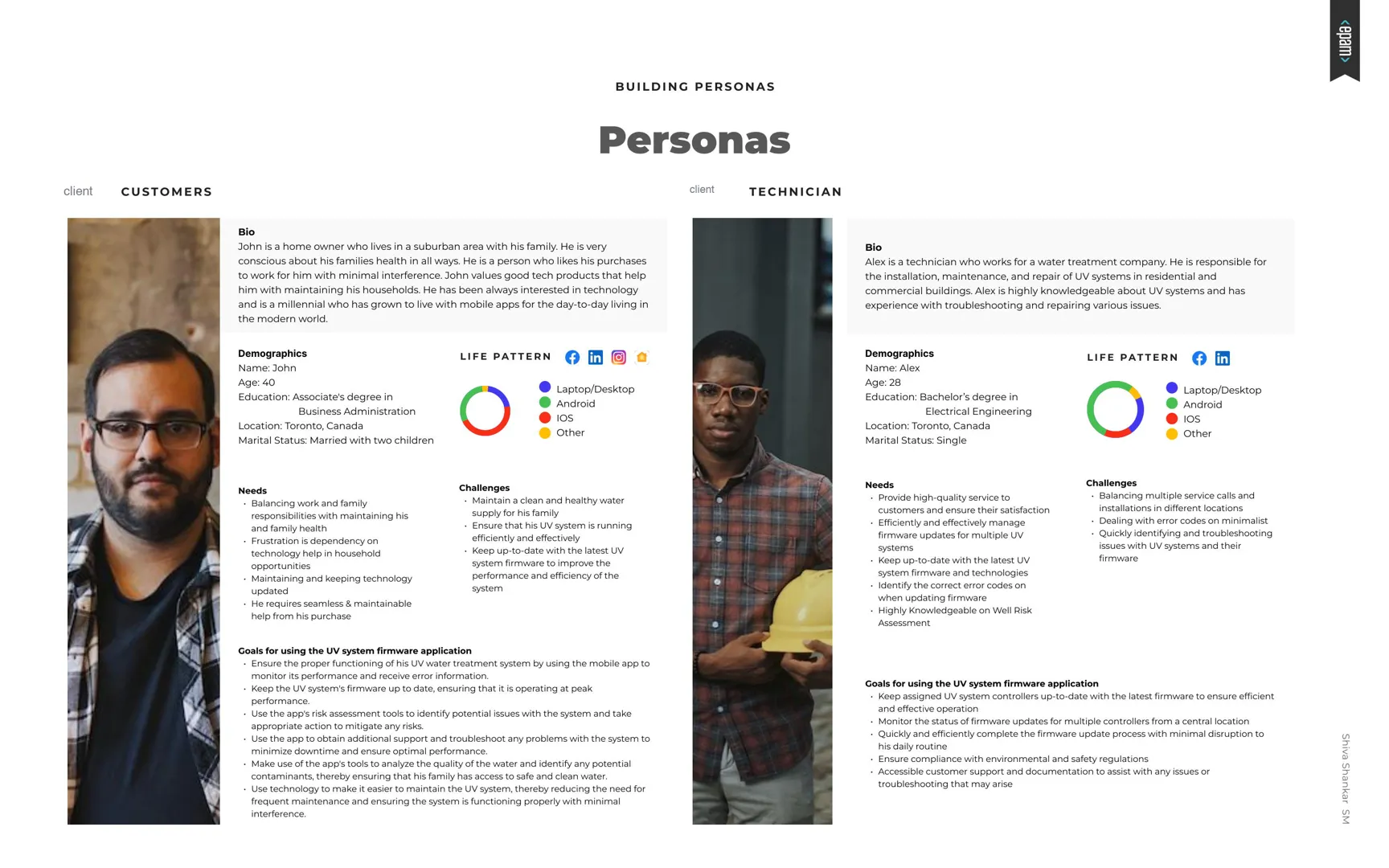
A homeowner and a technician.
The careful homeowner
Lives in the suburbs with his family and is conscious of their health in every way. Wants purchases to work with minimal interference, and values tech that helps run the household.
- Needs: keep water clean and the system running efficiently
- Needs: up-to-date firmware without calling for help
- Goal: monitor performance, receive error information, act on risk
The field expert
Installs, maintains and repairs UV systems in homes and commercial buildings; highly knowledgeable about troubleshooting.
- Challenge: many service calls across locations
- Challenge: error codes on a minimal hardware display
- Goal: update many controllers quickly, from one place
Journey mapping & flows
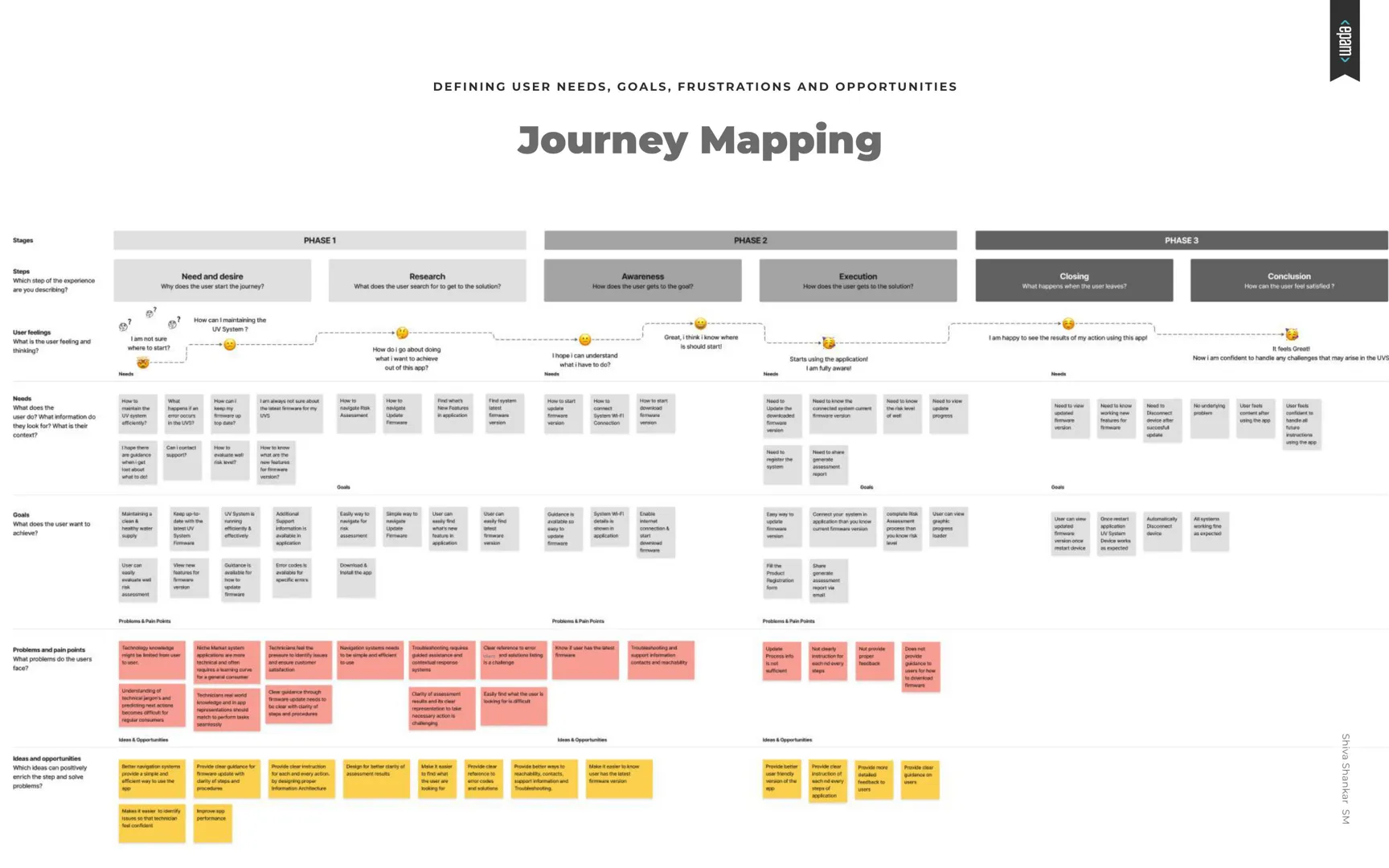
Needs, goals, frustrations — mapped.
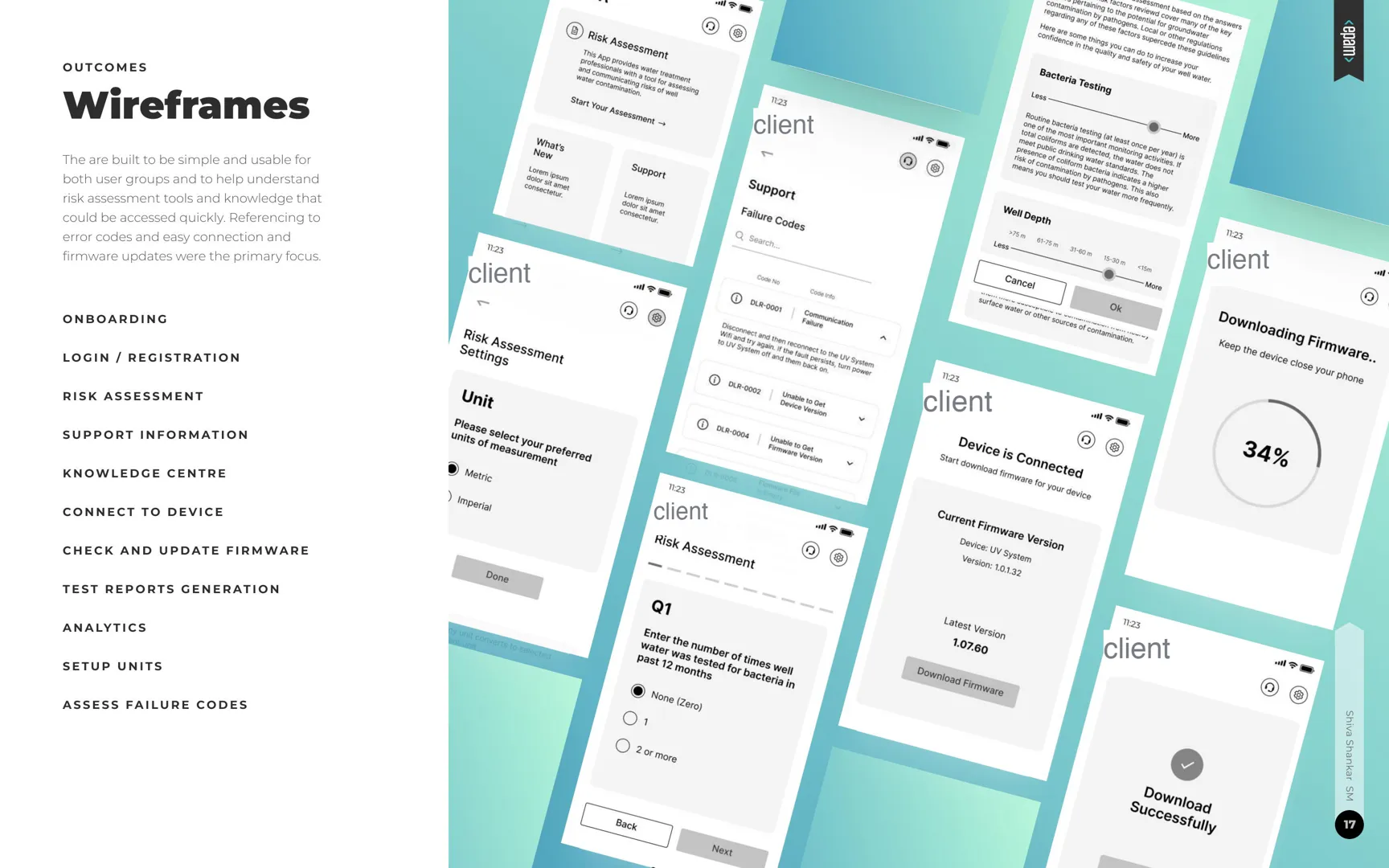
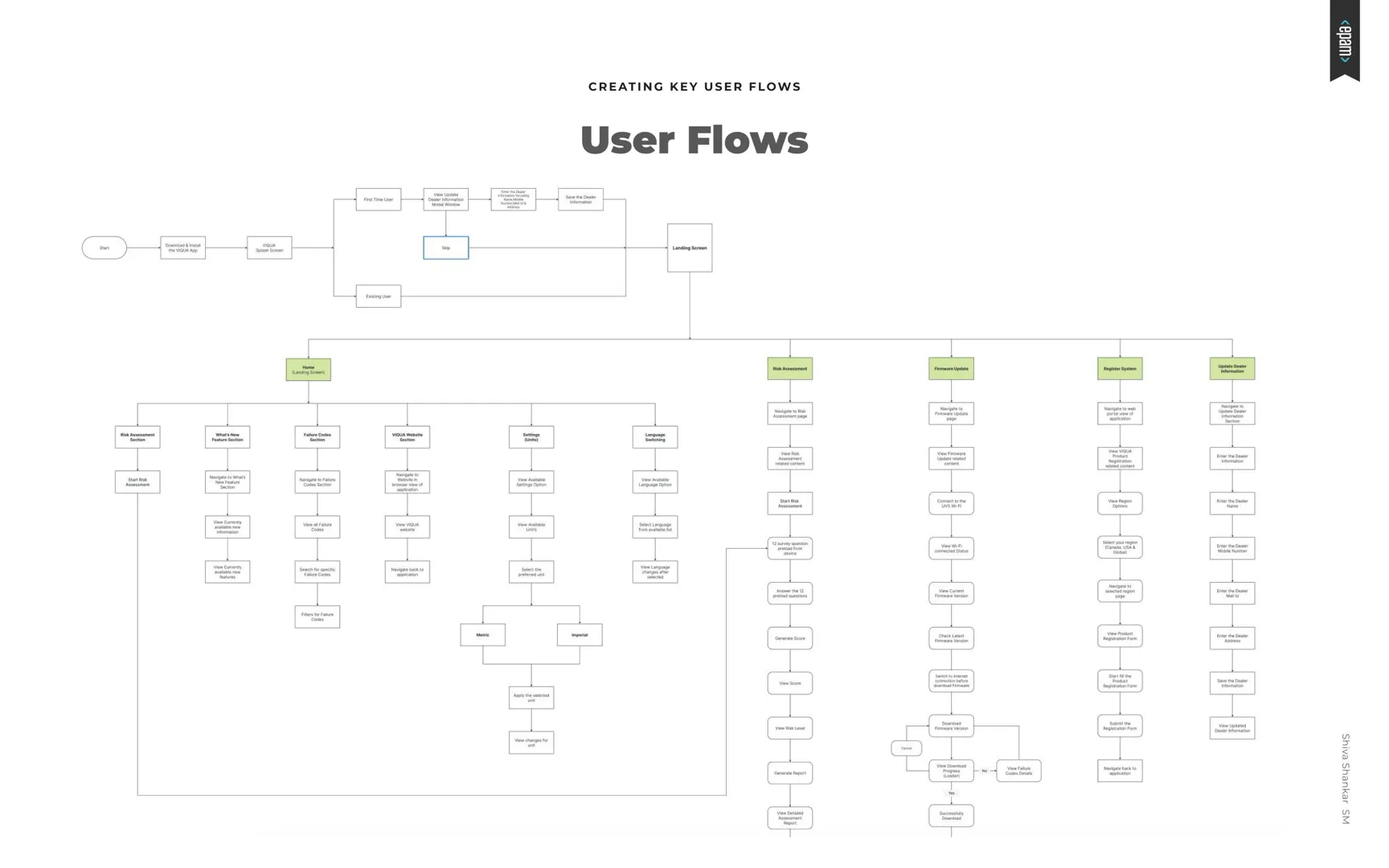
Key user flows followed: onboarding, login and registration, risk assessment, support information, a knowledge centre, connecting to the device, checking and updating firmware, generating test reports, analytics, setting up units and assessing failure codes.
Wireframes & interface
Simple enough for both, clear for each.
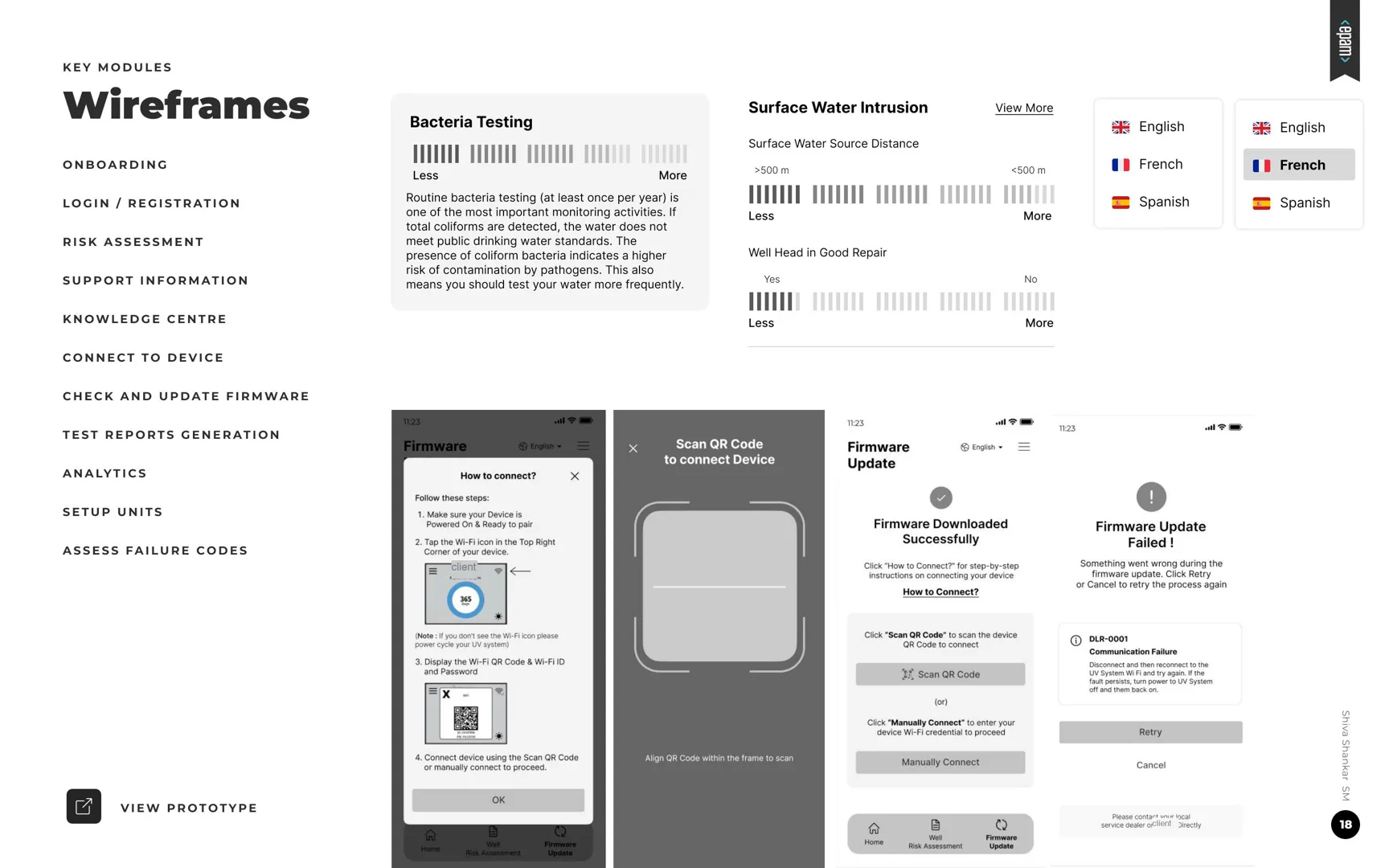
Wireframes were built to be simple and usable for both groups, putting risk-assessment tools and knowledge within quick reach. Error-code reference, easy connection and firmware updates were the primary focus. The risk assessment walks through factors such as surface-water intrusion, distance to a surface-water source, bacteria testing and the well head's condition, in English, French and Spanish.
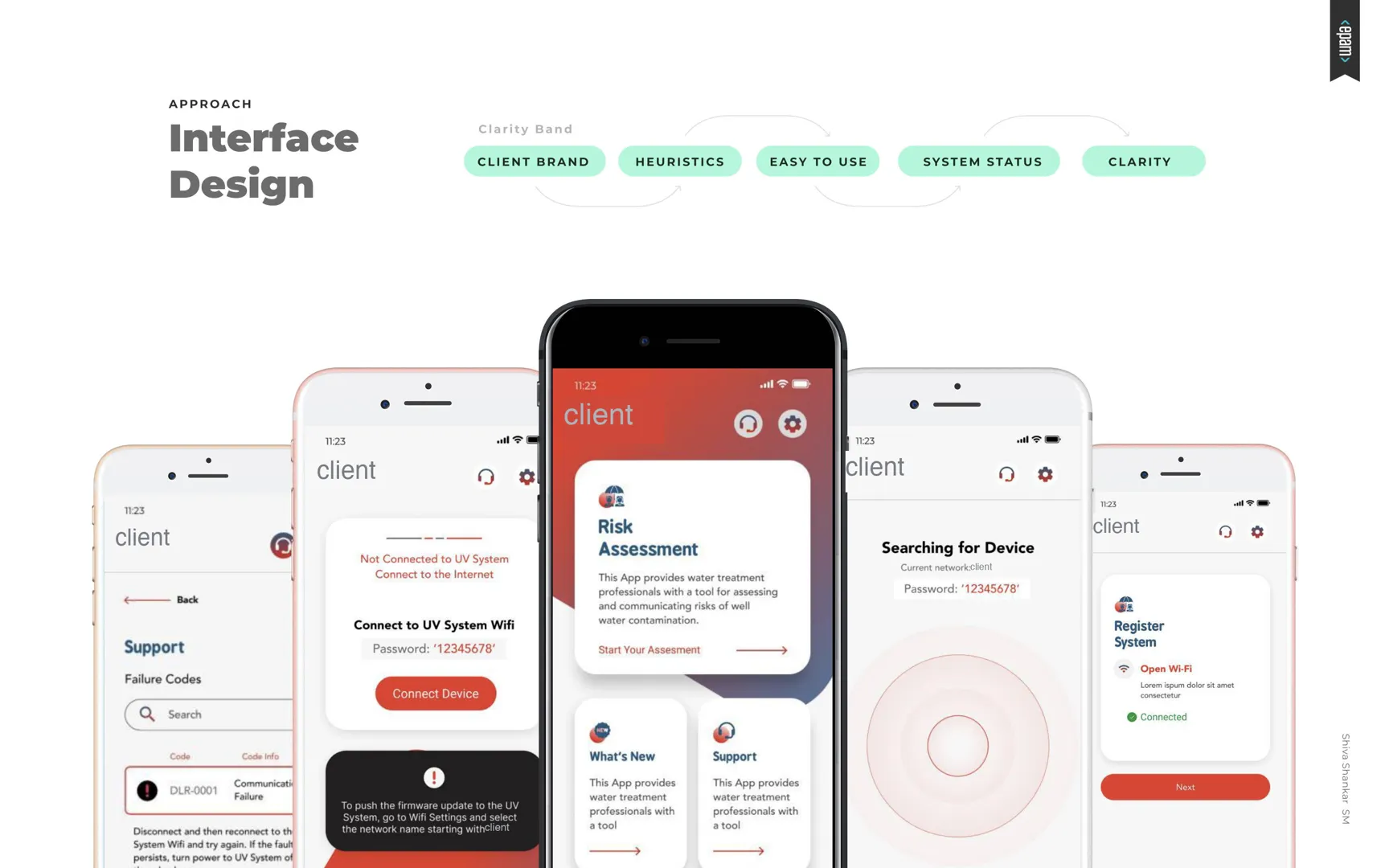
- Client brand
- Heuristics
- Easy to use
- System status
- Clarity